GeckIt A Kanban board for Claude Code sessions

In terminal tabs it is easy to lose the session that asked you something and has waited since. You work with Claude Code sessions like with tasks on a Kanban board.

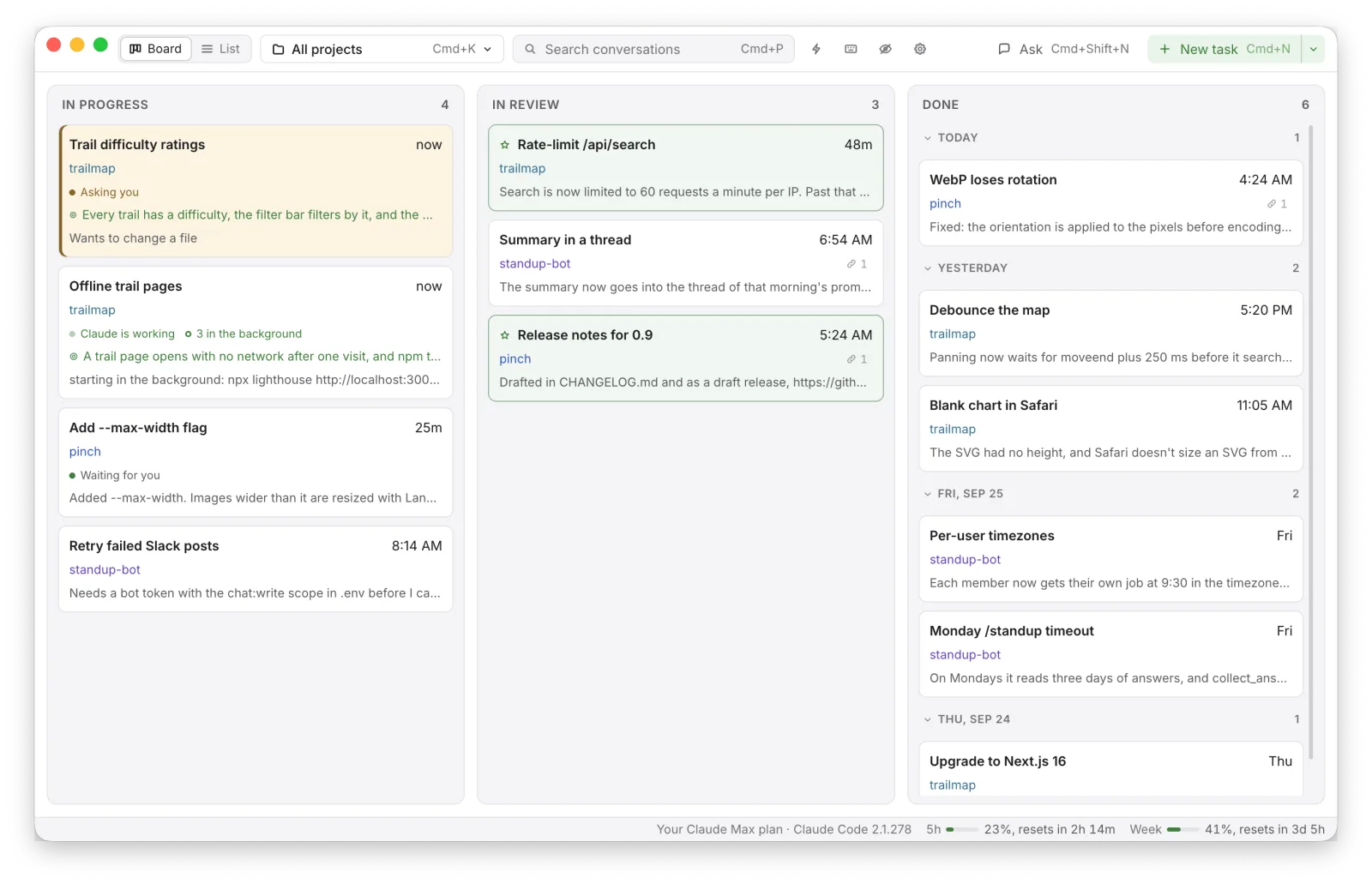
The board: Claude Code conversations from three projects as cards in In progress, In review and Done

The board

Keep track of every session and see how the work goes on different projects.

  • Three columns: In progress, In review, Done. A card is dragged from one to the next, and Done is grouped by the day.
  • A card shows its project, whether Claude is working, asks you something or waits for you, the goal, and the links written in the conversation.
  • New task starts a conversation in a project, with a goal if you give one. Claude keeps working until the goal holds, then the card moves to In review by itself.
  • All projects on one board, or one project at a time with Cmd+K.
  • Cmd+click or Shift+click picks several cards, and they are moved, hidden or deleted together.
  • Ask (Cmd+Shift+N) is a question outside any project. It is not put on the board.

Search

Find the conversation where something was decided without remembering which project it was in. Cmd+P finds a conversation by its title, its project or anything said in it.
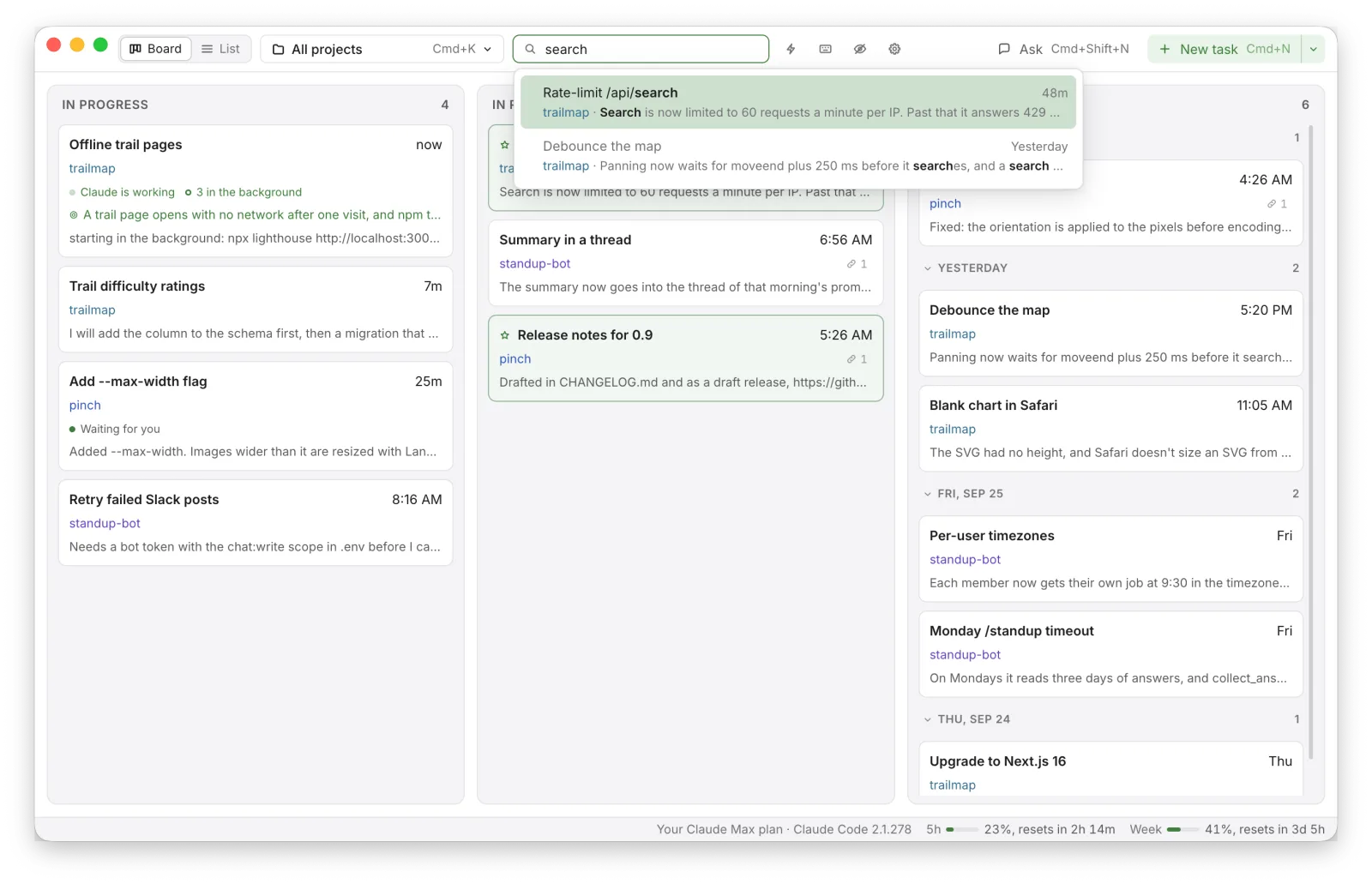
The search field at the top of the board with conversations found by what was said in them

Profiles

Keep work and your own projects apart. The board, search, New task and shortcuts show only the projects of the profile in use.
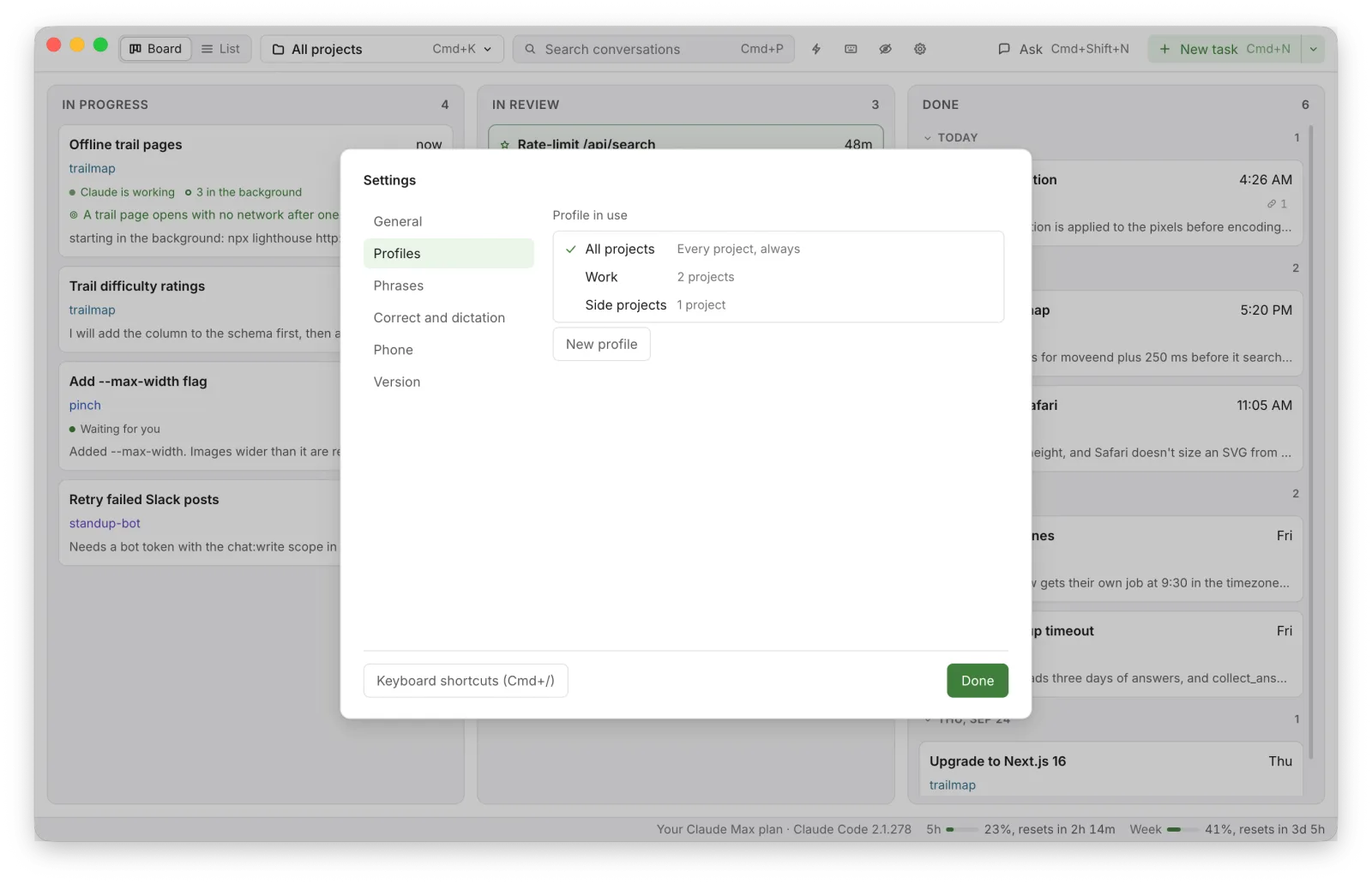
Settings, Profiles: All projects, Work and Side projects

Conversations

Press a card and the conversation opens over the board. You can use it instead of iTerm2 + Claude Code.
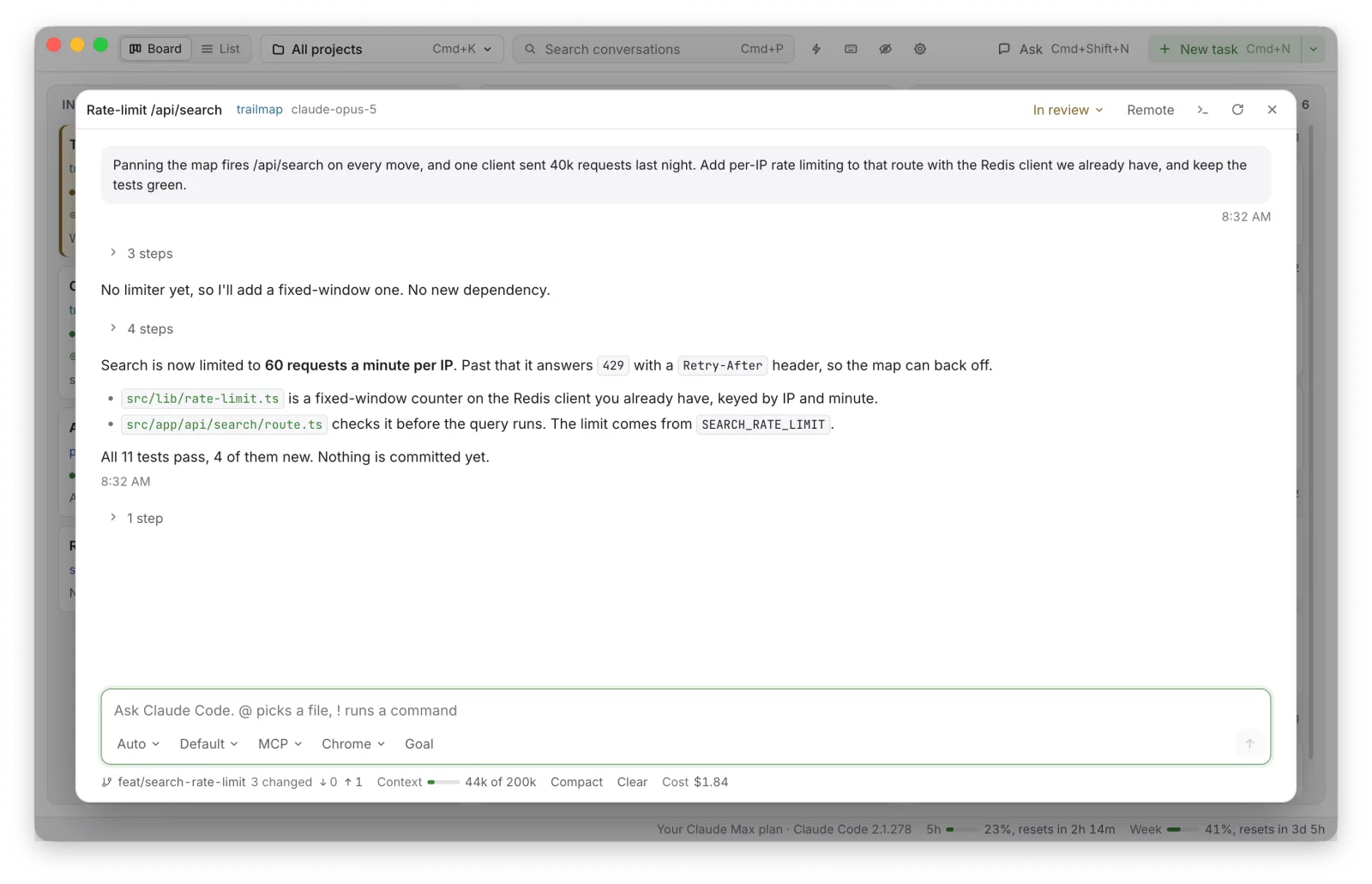
A card opened over the board: the Claude Code conversation, marked In review

List

The Board/List switch shows the conversations as a list, grouped by project, with favorites at the top.
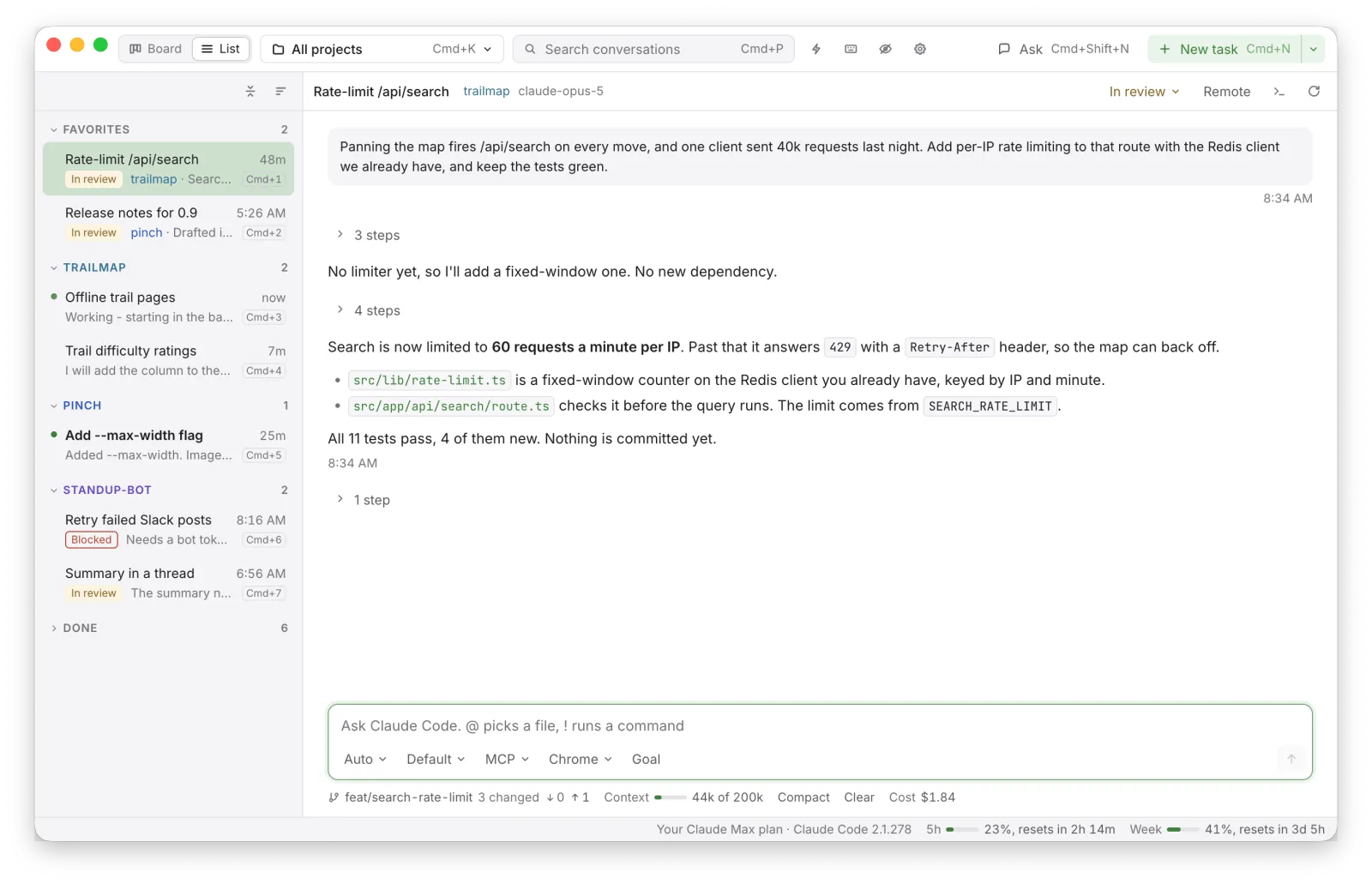

The list view: conversations grouped by project in a sidebar, with favorites at the top