Your claude
It runs the claude you installed, as Anthropic publishes it.
A free Claude Code session manager: every session across your projects and your servers on one Kanban board, and you answer Claude from your iPhone.
Or download directly for Intel MacApple Silicon MacWindowsLinux
Sound familiar?
Notifications do not say which tab, and clicking through the tabs one by one costs the time the sessions saved.
Agent view is a screen in the terminal, in research preview, that lists your background sessions by state. GeckIt is a desktop window: sessions are cards you move between In progress, In review and Done, a card opens into the conversation, and the same board is on your iPhone.
When one session finishes, you have no idea which tab it is.
Running 4+ Claude Code sessions across terminal tabs, I'd find one sitting idle for 20 minutes waiting for approval while I was focused elsewhere.
Those are incredibly spammy and totally useless to me, because I'll get 5 and then it's like 'well... which tabs are they for?'
Board
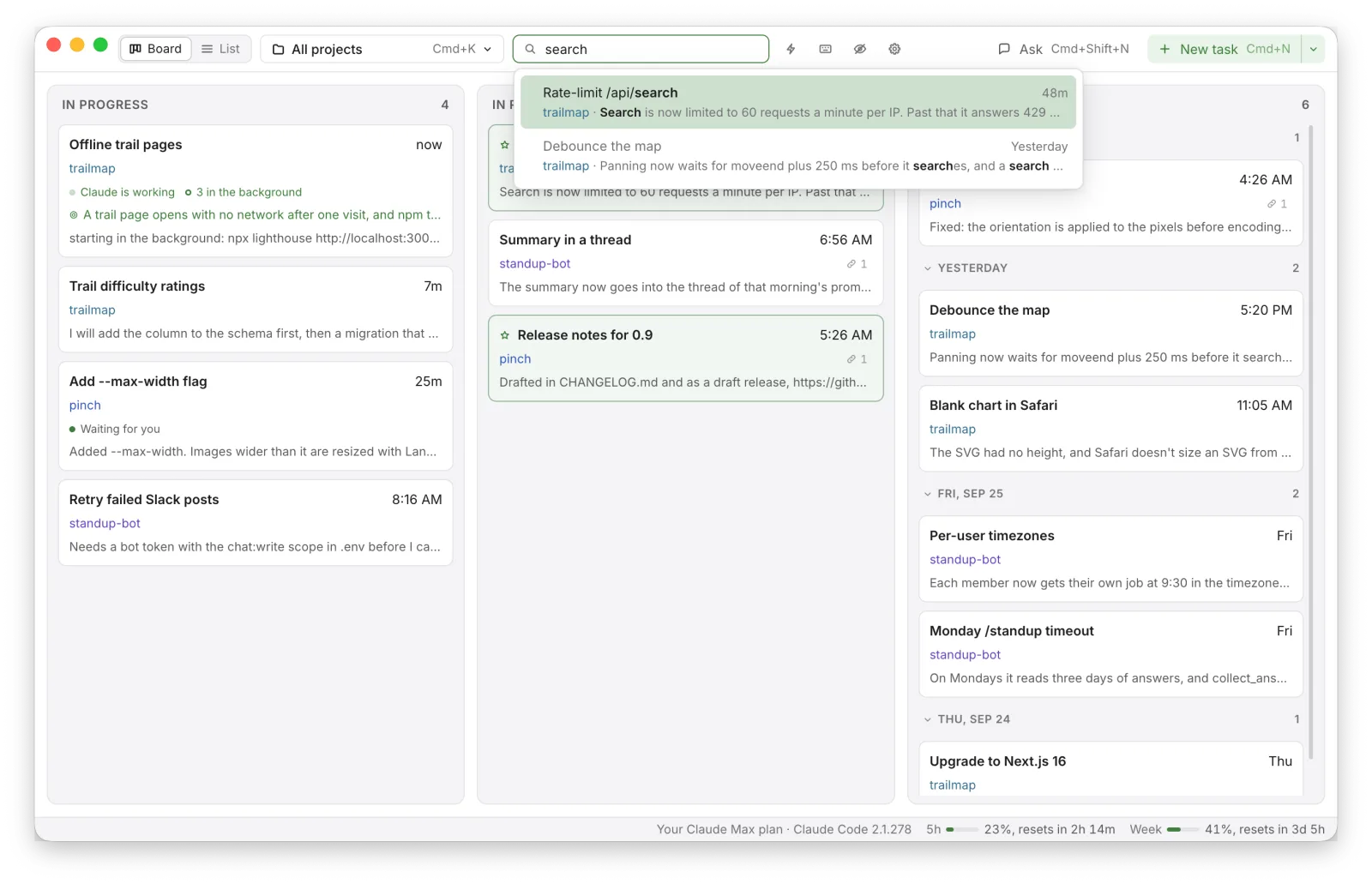
Three columns: In progress, In review, Done. Keep track of every session and see how the work goes on different projects.
The Claude Code Kanban board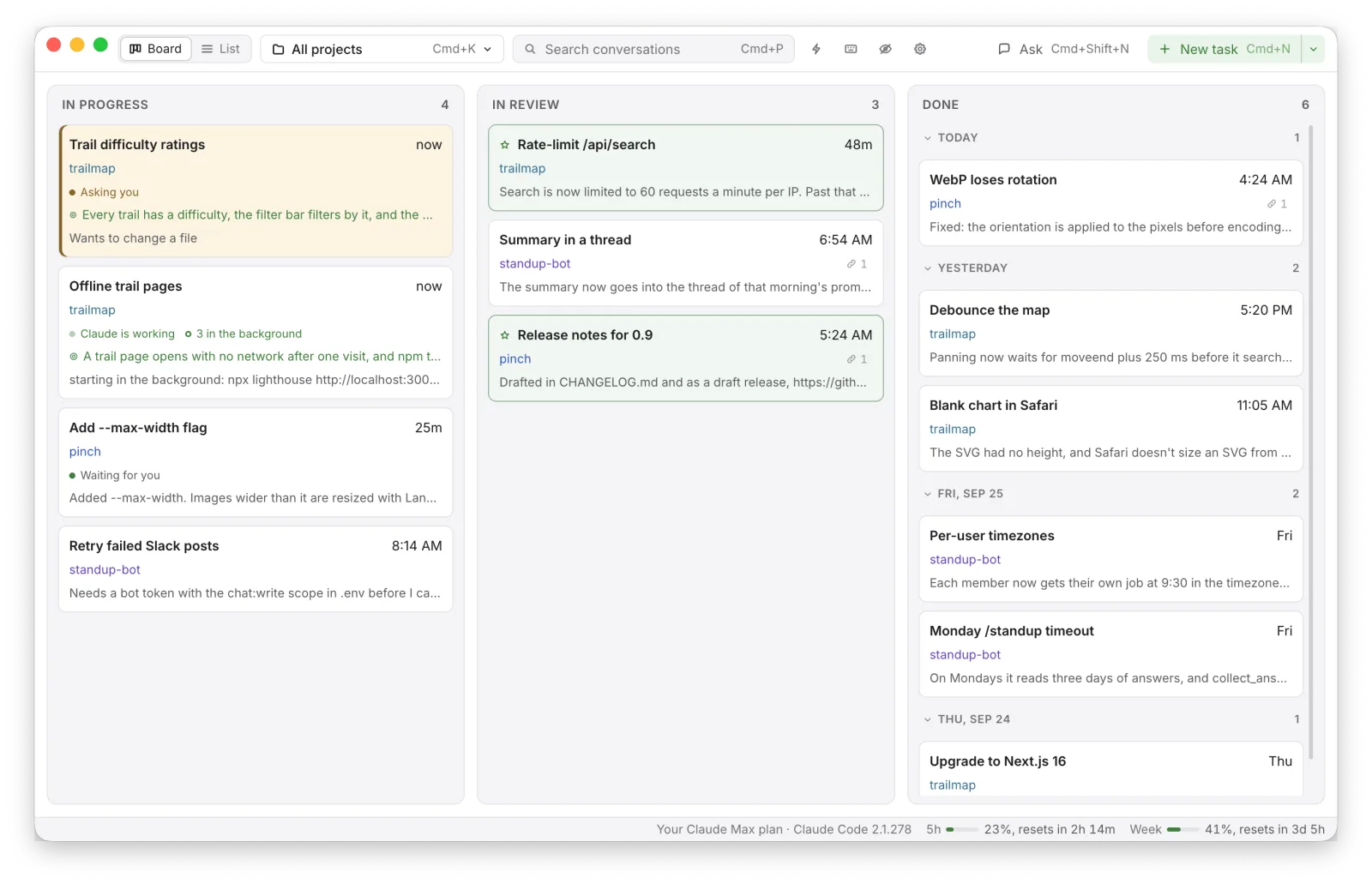
Conversations
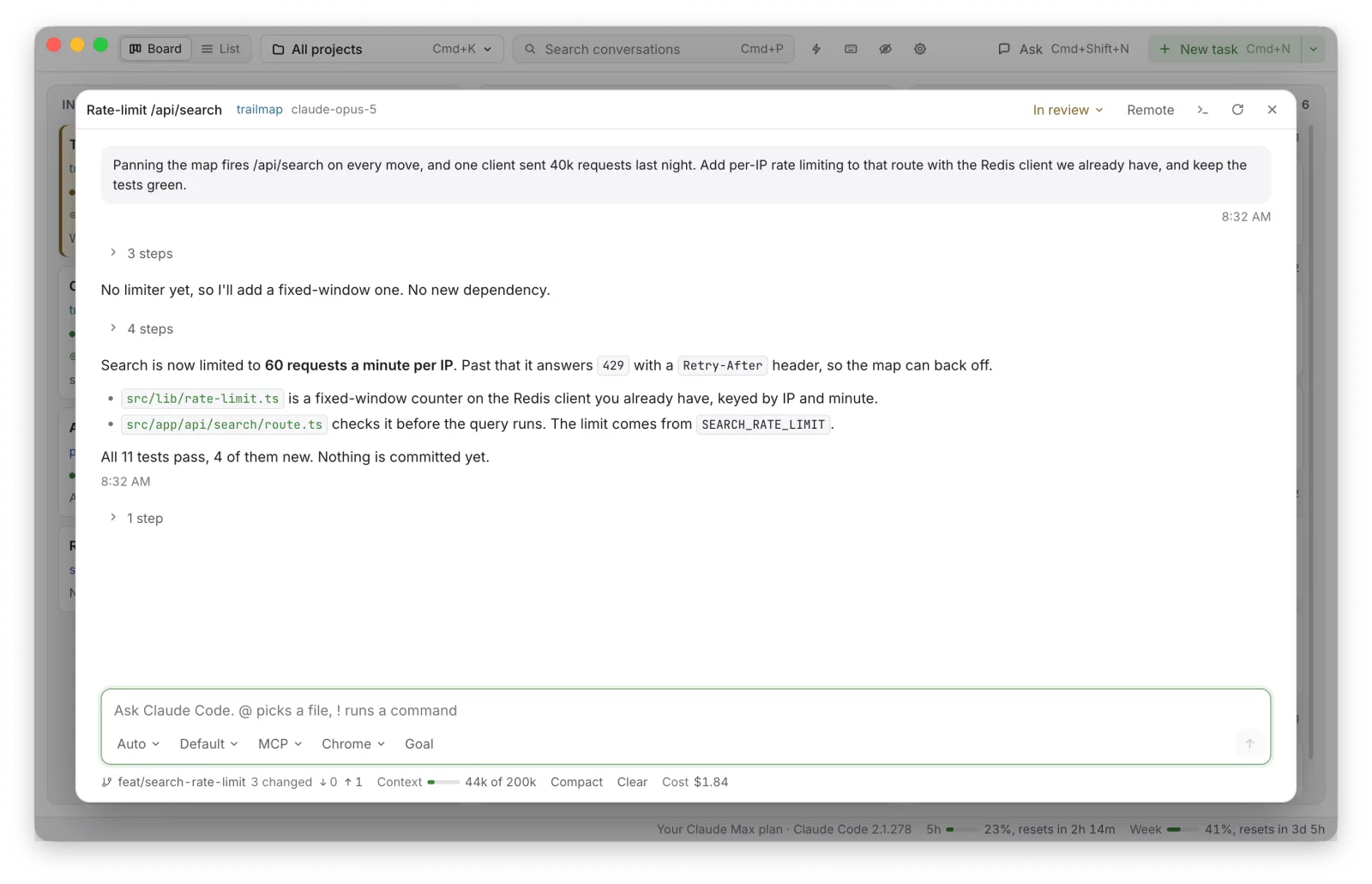
You can use it instead of iTerm2 + Claude Code. Background jobs are managed as the Claude Code terminal does.
Hosts
A conversation can run on another computer reached over SSH. It runs there, on the Claude Code and the plan signed in there, and keeps working when this computer sleeps or the connection drops.
Phone
The board, every conversation, the commands waiting for an answer, new tasks and shortcuts. It is made to be fast on a slow network.
The iPhone app on TestFlightIt is in Apple's review now, so the link opens once the review passes.
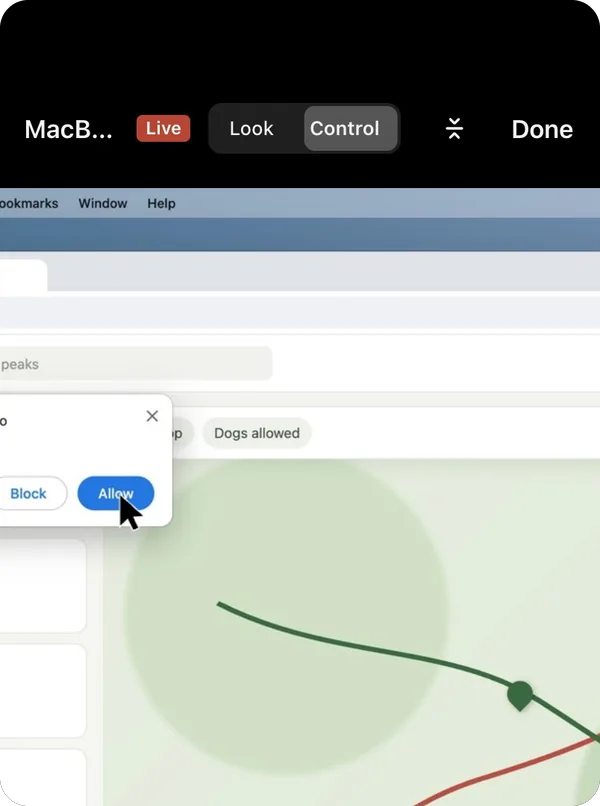
AI asks you to do something on the computer? A finger moves the Mac's pointer, a tap clicks, two fingers scroll.
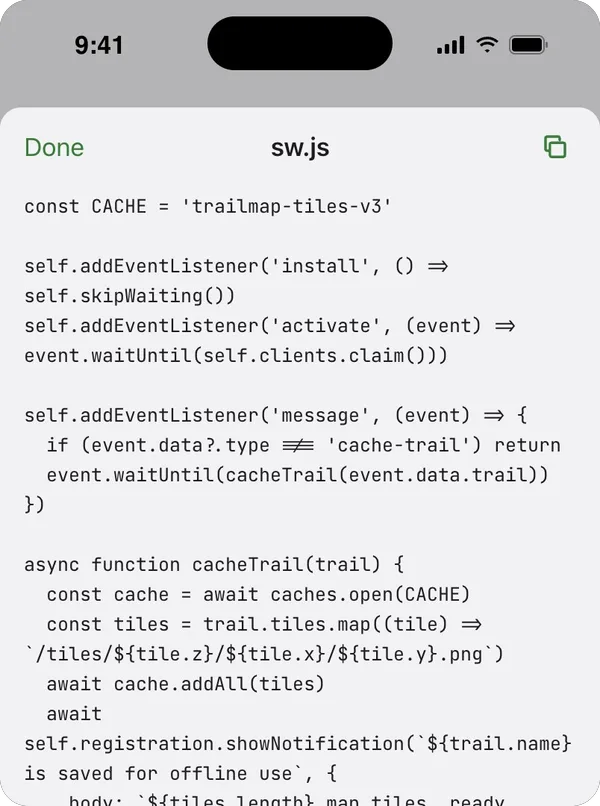
A file or folder pressed in a conversation opens on the phone, read on the Mac or on the host it is on.
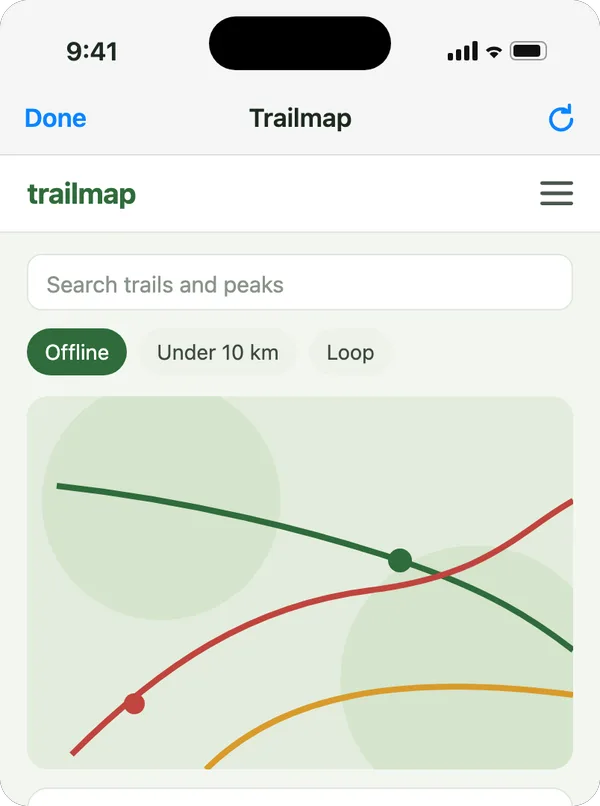
The page opens in the app, and each request it makes is made on the Mac.
Anthropic's terms
Checked against Anthropic's terms on September 28, 2026.
It runs the claude you installed, as Anthropic publishes it.
You sign in with Claude Code's own login. GeckIt does not read, keep or send your credentials or tokens.
An API key or another provider set in your environment is left out when GeckIt starts claude, so every conversation runs on your own plan.
claude talks to Anthropic from your computer or your host, and the phone reaches it only through your computer.
Use your own account and keep to your own work. Conversations working at once is 6 by default, because many conversations working for hours is not what a plan's limits assume. Legal and compliance
And more
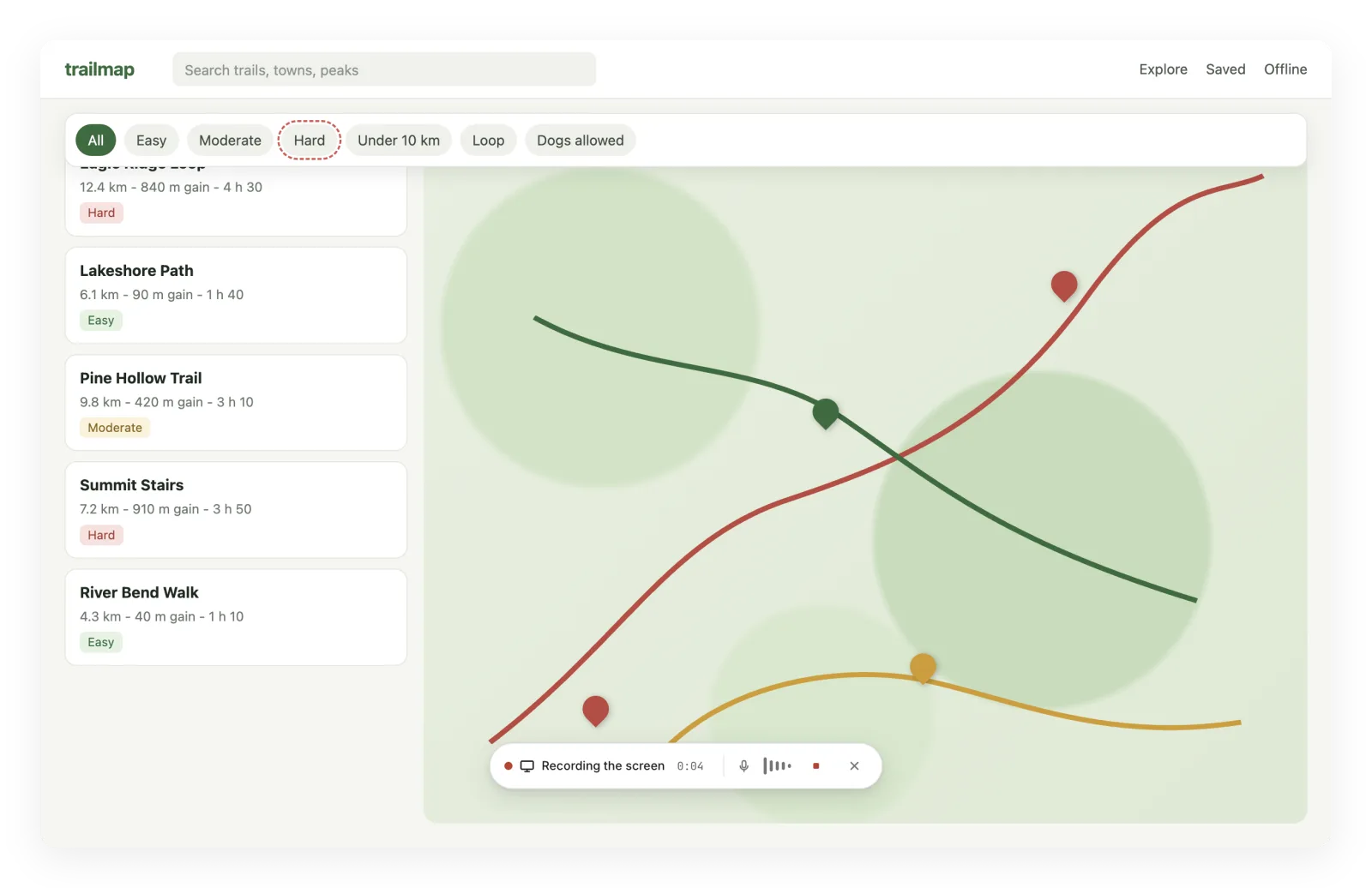
Show the bug instead of typing a description of it. Press Cmd+Alt+R, show the problem and say what is wrong.
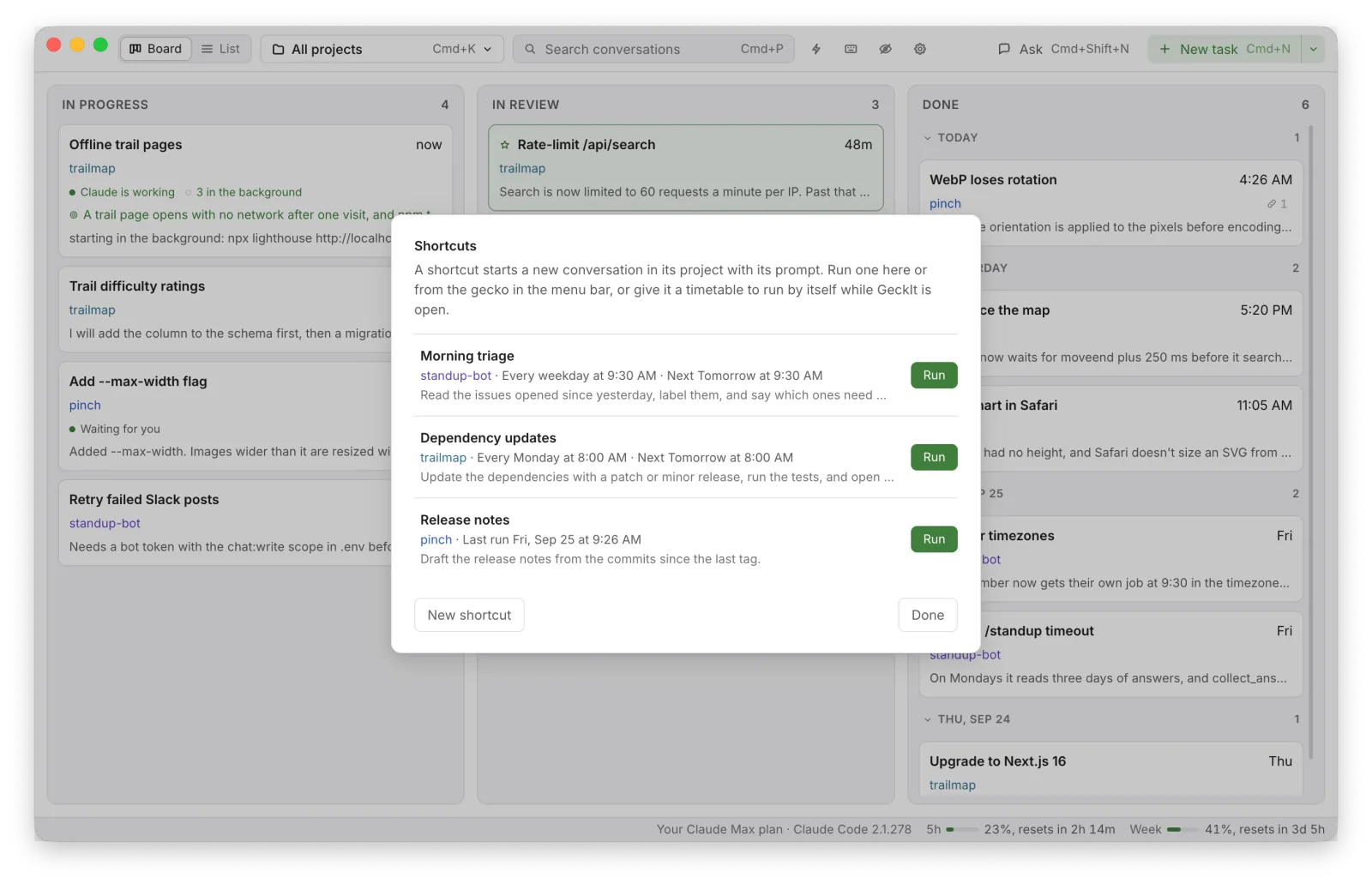
The prompt you type every morning, typed once. Run it by hand or on a timetable.
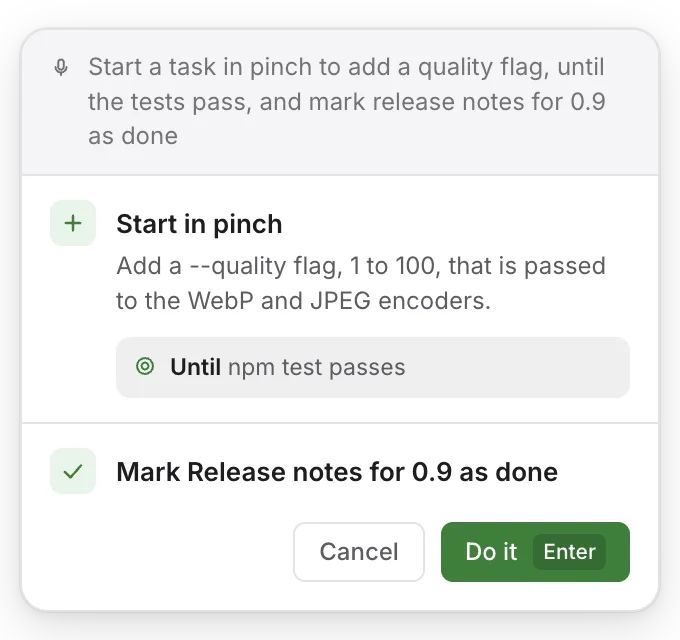
Start or stop work without typing, from any app. Press Cmd+Alt+G and say what to do.
Find the conversation where something was decided without remembering which project it was in. Keep work and your own projects apart.
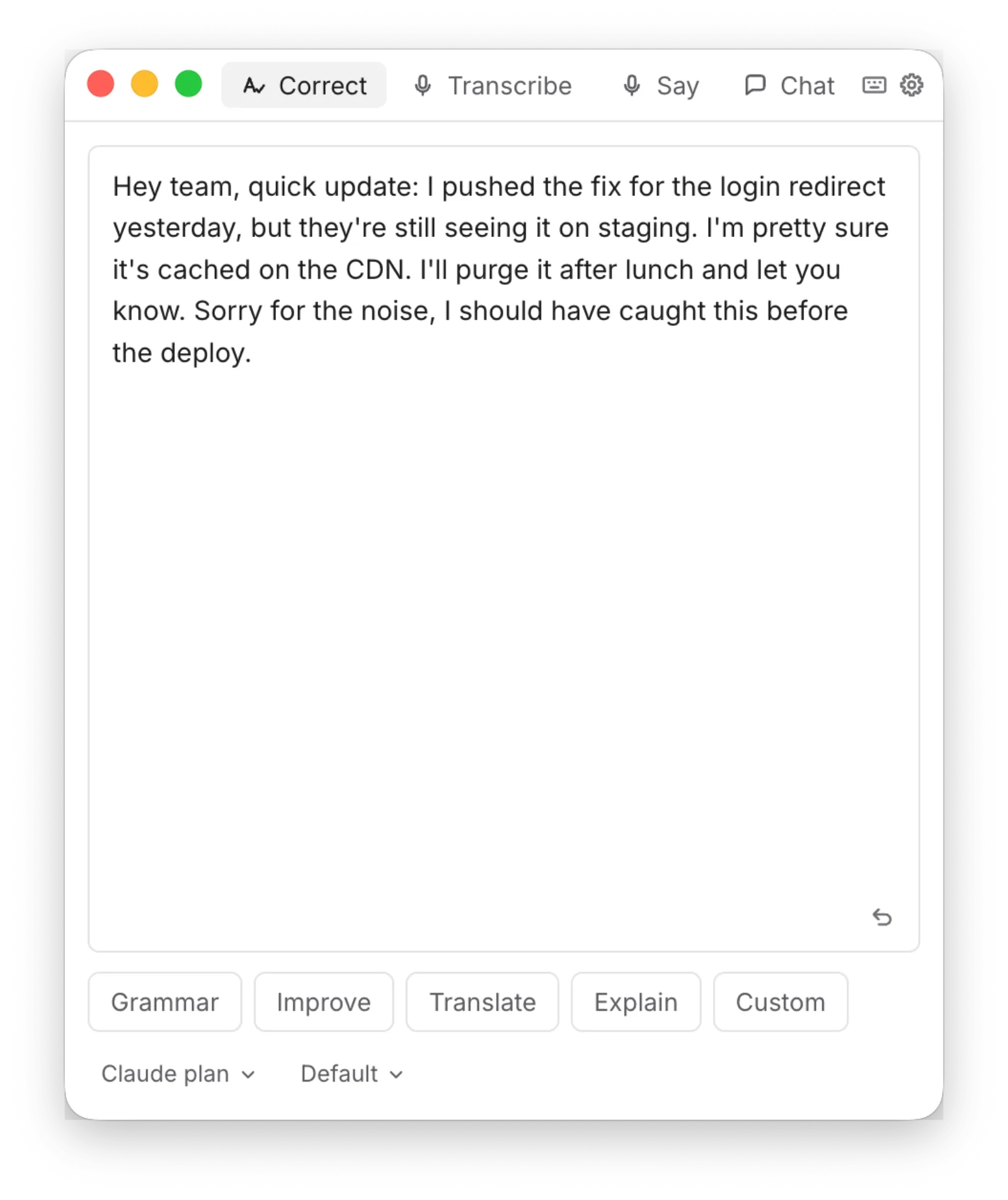
Select text anywhere and press Cmd+C+D. GeckIt corrects the grammar, improves, translates or explains it.
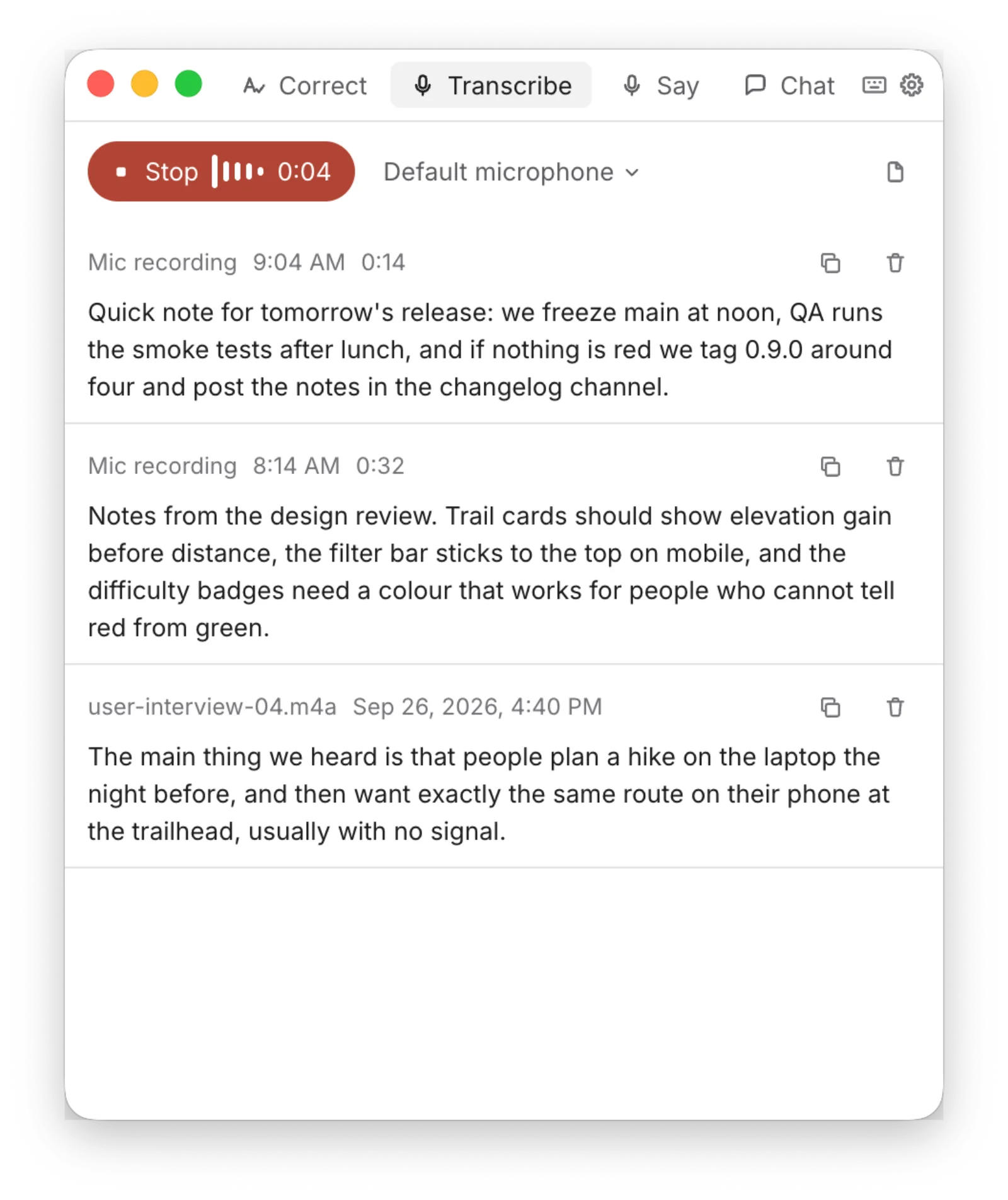
Press Cmd+Alt+V, speak, and the text is pasted where you were typing.
Questions
No. The board runs your own Claude Code on your Claude subscription. An API key or another provider set in your environment is left out when GeckIt starts claude, so every conversation runs on your own plan.
GeckIt follows the rules Anthropic sets for apps that run Claude Code: it runs the claude you installed, you sign in with Claude Code's own login, and there is no GeckIt server between you and Anthropic. Checked against Anthropic's terms on September 28, 2026.
Claude Code installed and signed in with a Claude subscription. Transcribe, screen recording and Say it need an OpenRouter key, set in Settings.
Yes, with the source public under the Functional Source License (FSL-1.1-MIT). Use it, change it and share it for anything, work included, except a commercial product or service that competes with GeckIt. Each version becomes MIT two years after its release.
Yes: an installer for Windows and an AppImage for Linux, beside a dmg for Apple Silicon and Intel Macs. The Windows installer is not signed, so SmartScreen warns about it: More info, then Run anyway.
Yes. A conversation started in a terminal shows up in GeckIt and resumes there. Do not keep one conversation open in GeckIt and in a terminal at the same time: two claude processes would write to the same history file.
GeckIt has no account and no server that keeps your data. Your conversations stay on your computer. The installed app counts which features are used, never text, file paths or keys, and Usage in Settings turns it off.
Yes. A conversation can run on another computer reached over SSH, a host. It runs there, on the Claude Code and the plan signed in there, and keeps working when this computer sleeps or the connection drops. On a host, sign in to claude there yourself, with your own account.
The iPhone app is on TestFlight, in Apple's review for now. It connects to your computer directly over WebRTC, encrypted end to end, and shows the board, every conversation and the commands waiting for an answer.
Agent view is a screen in the terminal, in research preview, that lists your background sessions by state. GeckIt is a desktop window: sessions are cards you move between In progress, In review and Done, a card opens into the conversation, and the same board is on your iPhone.
No. GeckIt is not made by Anthropic and is not affiliated with it. Claude and Claude Code are trademarks of Anthropic.