 GeckIt
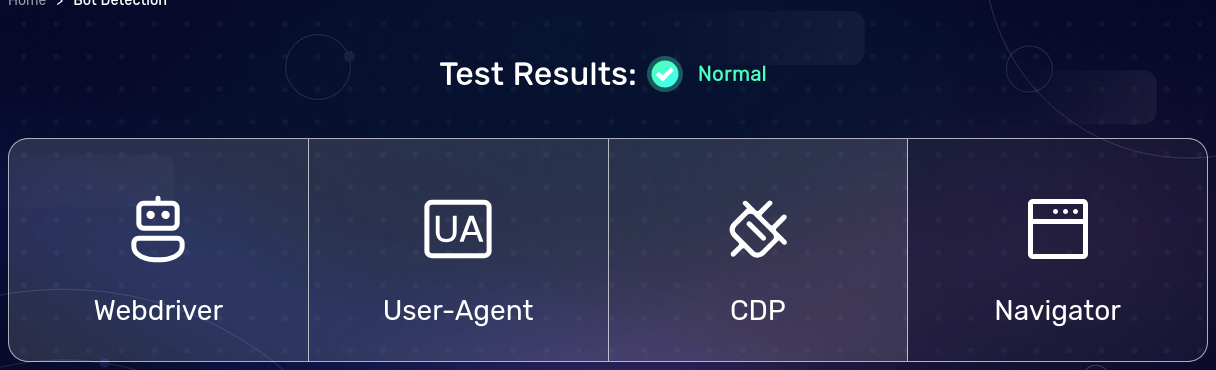
We ran the same browser automation on a Mac and on a Linux server. On the Mac, BrowserScan looked at it and said “Normal”. On the server, it said “Robot”.
BrowserScan also reports fingerprint authenticity: how consistent the browser’s reported details look to its checks. Higher is better on this check; even 100% does not prove a browser cannot be detected.
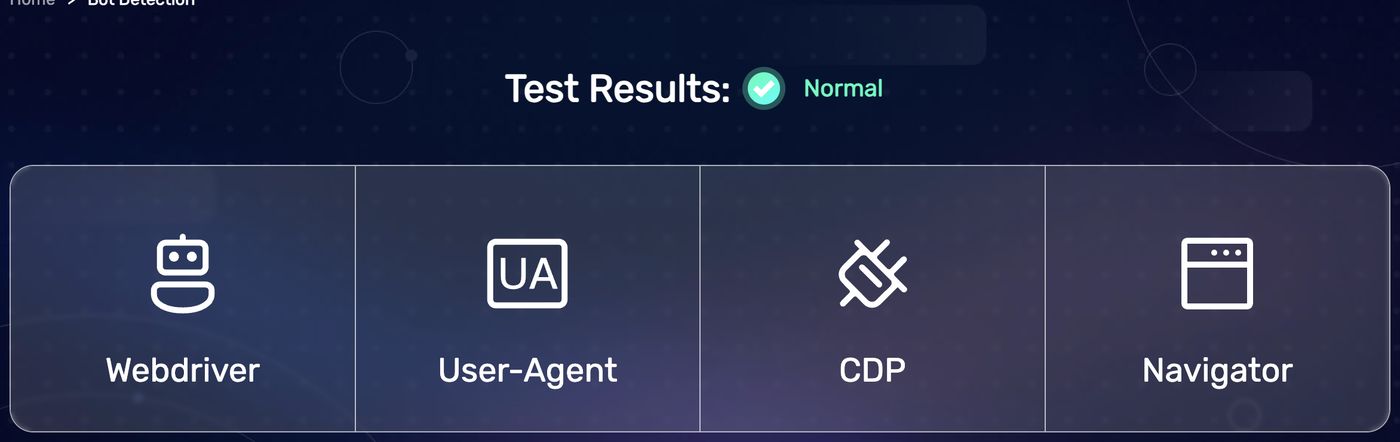
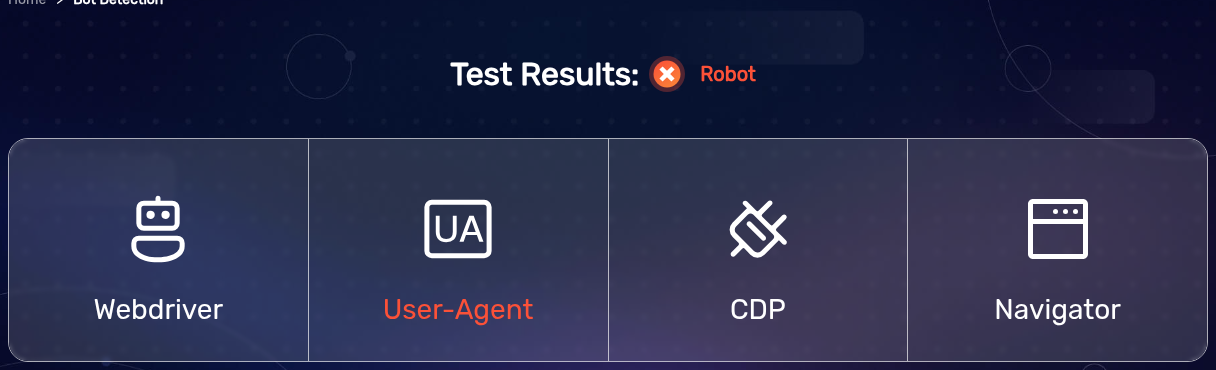
Nothing in the code changed. Only the computer it ran on.
Server screenshots in this post come from Debian’s Chromium 156 driven by the same code; Chrome for Testing 158 gave identical results, but under x86 emulation it was too slow to take pictures.
Sites are asking one question
Every page your automation opens is quietly asking: is a person reading this, or a script? Sites look at the browser itself (what it says about its graphics card, fonts, screen and window), at how it moves (does it scroll with a wheel, does it press keys), and at whether something changes their page from the inside. Detection pages like CreepJS, BrowserScan and bot.sannysoft.com run the same kind of checks in the open, so you can see the verdict.
On your own computer, automation borrows a real machine. There’s a real graphics card, real fonts, a real screen and a window, so most of these checks pass without any effort. A server has none of this. There’s no screen, so the standard approach is to run Chrome headless, and headless Chrome gives itself away in the first line it sends: its user agent literally says HeadlessChrome/158.0.0.0. The graphics card it reports is SwiftShader, Chrome’s software renderer, which no ordinary desktop has.
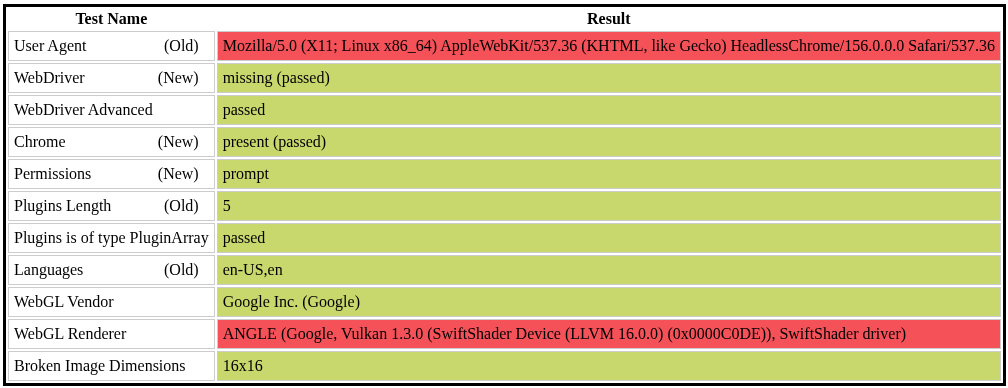
We build GeckIt, an app where AI agents work in a browser for a person, often on a server. So we needed to know how bad it is and what fixes it.
The experiment
Five setups, the same checks for each:
| Setup | Where | How it's driven |
|---|---|---|
| Chrome for Testing | Mac | Chrome DevTools Protocol, how GeckIt worked before |
| Chrome + GeckIt extension | Mac | A person's own Chrome, through GeckIt's extension |
| Camoufox | Mac | GeckIt's new test browser |
| Chrome for Testing | Linux server, headless | The standard way to run a browser on a server |
| Camoufox | Linux server, virtual display | GeckIt's new test browser on a server |
Each one opened CreepJS, BrowserScan and bot.sannysoft.com. Then it worked on a page we wrote ourselves, one that watches its own document and counts every element and attribute added to it, every wheel event and every key press.
What CreepJS saw
CreepJS gives two percentages. “Headless” is the share of clear headless signs: lower is better, and 0% means none of those signs were found. “Like headless” is the share of traits often found in headless browsers: lower means fewer such traits, but ordinary browsers have them too. A person’s own Chrome scored 31% on this noisy second measure. Neither percentage is the probability that a browser is a bot.
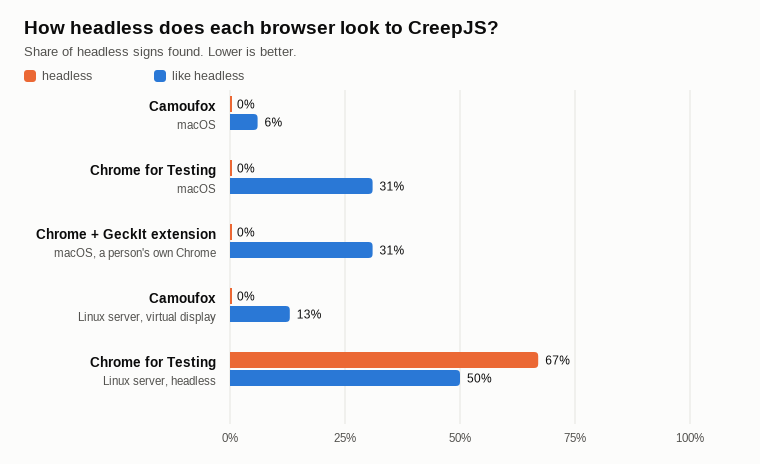
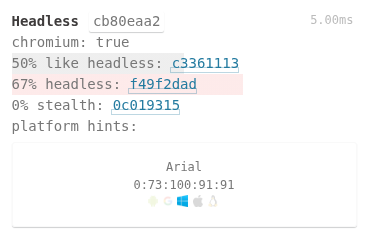
On a Mac, every setup got 0% headless. On a Linux server, headless Chrome got 67%.
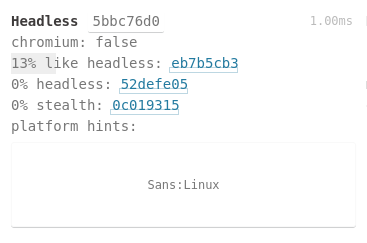
Camoufox on the same kind of server got 0% headless and 13% like headless, meaning fewer detected signs than a real Chrome on a Mac. BrowserScan said Normal and gave it 100% fingerprint authenticity, its best score on that check.
What detection pages don’t check: the page itself
All three detection pages look at the browser. None of them looks at what the automation does to the page. Our own page did.
The chart counts elements and attributes GeckIt added to the page. Lower is better: fewer changes leave fewer traces for the site to notice. Zero means this check found no added elements or attributes.
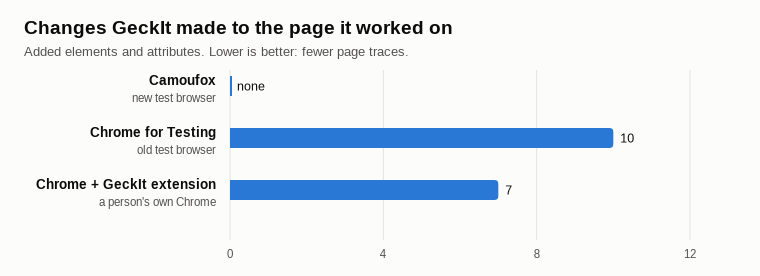
The old way, GeckIt found elements by marking them with data-geckit-ref attributes and drew its pointer as a geckit-pointer element inside the page. That’s 10 changes in a short session of reading, typing, scrolling and two clicks. A site needs a single MutationObserver to see every one of them. The extension does the same in a person’s own Chrome, 7 changes.
Camoufox made none. It also generated 40 wheel events, the browser signals produced by wheel scrolling, where the old browser scrolled by script and sent zero. More is not automatically better: the count shows that scrolling produced input events, with no ideal count established by this experiment. And it typed every character as a key press, where the old browser inserted the text without pressing a key.
How Camoufox gets there
Camoufox is a Firefox build that sets fingerprint values inside the browser engine, so a page finds no patched JavaScript to detect. On top of it, GeckIt:
- drives it through Firefox’s own remote protocol, so there’s no Chrome DevTools Protocol for a page to notice;
- moves the real mouse, clicks, presses keys and turns the wheel, and uses a script only for steps no person’s action can do;
- keeps its element references in its own isolated script world, and draws the pointer in the live view and on screenshots, never in the page;
- runs uBlock Origin in every profile;
- on a server, starts a virtual display (Xvfb) and runs the browser with a window instead of headless, with a small window manager (openbox) so a popup doesn’t take the focus;
- gives each server one stable desktop identity: Ubuntu with Intel graphics, a common screen size, a normal number of CPU cores, voices and a microphone, and the server’s own timezone and language.
That last one taught us something. Our first server run scored 90% fingerprint authenticity on BrowserScan, below its best score of 100%. The container thought it was in Berlin and the IP address was in New York. With the timezone matching the address, it scored 100%. Every detail has to agree with every other detail, including the ones you never think of as part of the browser.
What this doesn’t prove
These are public detection pages, not Cloudflare, DataDome or Akamai. Those also weigh where the traffic comes from, and a server’s datacenter IP address can say “bot” louder than any browser. We didn’t test that, and we ran each setup once.
Still, on a server the gap is huge. The standard setup is called a robot by every page we tried, and the same page sees Camoufox with a virtual display as a desktop computer.
If you run browser automation on servers, what gives you away first? And if you’ve tested against real bot protection, I’d like to compare results.